
Elementor అంటే ఏమిటి? Beginners కోసం సులభమైన Guide
WordPressలో website తయారు చేసేటప్పుడు ప్రతి చిన్న design change కోసం coding చేయాల్సిన అవసరం లేదు. Beginners కూడా సులభంగా pages design చేసుకోవడానికి కొన్ని website builder tools ఉపయోగించవచ్చు.
అలాంటి popular WordPress website buildersలో Elementor ఒకటి.
Elementor ద్వారా website pageని visual editor ఉపయోగించి design చేయవచ్చు. అంటే మనం page ఎలా కనిపిస్తుందో చూస్తూనే దానిలో changes చేయవచ్చు.
Elementor అంటే ఏమిటి?
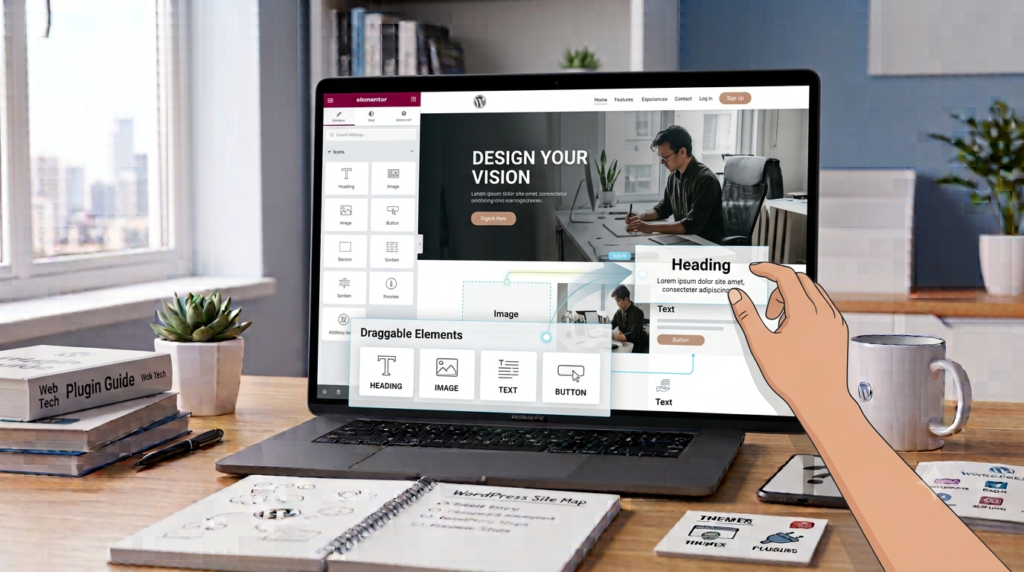
Elementor అనేది WordPress కోసం ఉపయోగించే visual website builder.
దీని ద్వారా website pagesలో headings, text, images, buttons మరియు sections వంటి elementsని సులభంగా add చేసి customize చేయవచ్చు.
Coding తెలియని beginnersకి కూడా page design process సులభంగా అర్థమయ్యేలా Elementor సహాయపడుతుంది.
Elementor ఎందుకు ఉపయోగిస్తారు?
WordPress websiteకి మనకు కావాల్సిన layoutని తయారు చేయడానికి Elementor ఉపయోగపడుతుంది.
దీని ద్వారా:
- Page layouts create చేయవచ్చు
- Text మరియు images add చేయవచ్చు
- Buttons design చేయవచ్చు
- Sections arrange చేయవచ్చు
- Colors మార్చవచ్చు
- Fonts customize చేయవచ్చు
- Spacing adjust చేయవచ్చు
- Mobile layoutని check చేయవచ్చు
అందువల్ల website designని visualగా create చేసుకోవచ్చు.
Elementor ఎలా పనిచేస్తుంది?
Elementorలో drag-and-drop editing system ఉంటుంది.
మనకు కావాల్సిన elementని select చేసి pageలో అవసరమైన చోట place చేయవచ్చు.
ఉదాహరణకు ఒక heading add చేసి, దాని text, size, alignment మరియు spacingని మార్చవచ్చు.
అదే విధంగా images, buttons మరియు text sectionsని కూడా customize చేయవచ్చు.
Elementorతో ఏ Pages Create చేయవచ్చు?
Elementorని ఉపయోగించి websiteలో అనేక రకాల pages design చేయవచ్చు.
ఉదాహరణకు:
- Home Page
- About Page
- Contact Page
- Services Page
- Landing Page
- Blog Page
- Courses Page
Website అవసరాన్ని బట్టి different layouts create చేసుకోవచ్చు.
Elementorలో ముఖ్యమైన Elements
Elementorలో website design కోసం అనేక elements అందుబాటులో ఉంటాయి.
Heading
Websiteలో titles మరియు important headings చూపించడానికి Heading element ఉపయోగిస్తారు.
Clear headings ఉంటే visitorsకి content అర్థం చేసుకోవడం సులభంగా ఉంటుంది.
Text Editor
Paragraphs మరియు other written content add చేయడానికి Text Editor ఉపయోగించవచ్చు.
Website information, services లేదా blog content కోసం ఇది ఉపయోగపడుతుంది.
Image
Websiteలో pictures add చేయడానికి Image element ఉపయోగిస్తారు.
సరైన images ఉపయోగిస్తే page visually attractiveగా ఉండటమే కాకుండా informationని సులభంగా అర్థం చేసుకోవడానికి కూడా సహాయపడుతుంది.
Button
Visitorsని ఒక action వైపు guide చేయడానికి Button ఉపయోగిస్తారు.
ఉదాహరణకు:
Learn More
Contact Us
Book a Class
Buttonని అవసరమైన page లేదా destinationకి link చేయవచ్చు.
Elementor మరియు WordPress Theme మధ్య తేడా
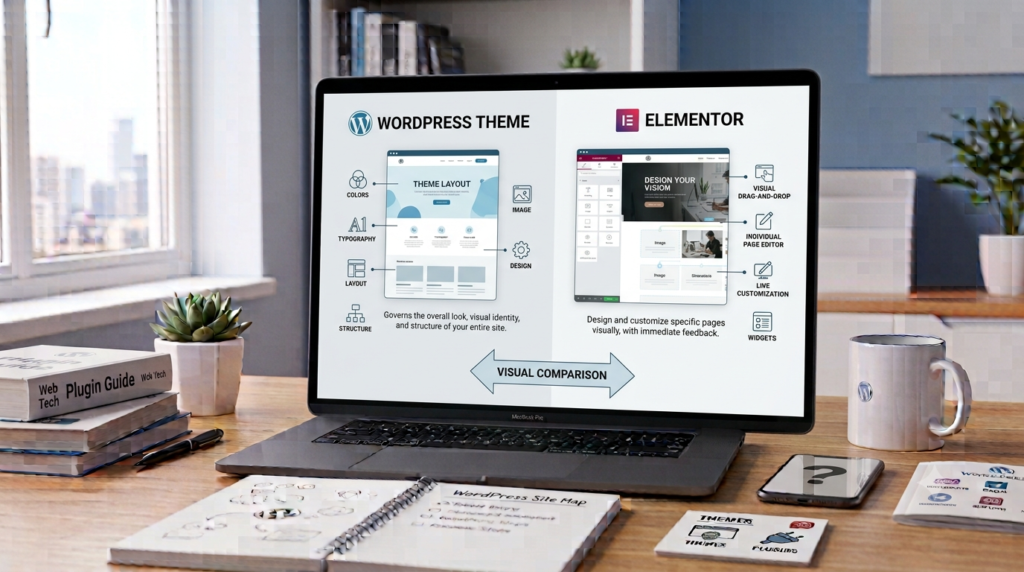
Theme మరియు Elementor ఒకటే కాదు.
Theme → Website యొక్క overall appearance మరియు structureని control చేస్తుంది.
Elementor → Website pagesని visualగా design మరియు customize చేయడానికి ఉపయోగపడుతుంది.
ఇవి రెండూ కలిసి పనిచేయవచ్చు.
ఉదాహరణకు WordPress websiteకి ఒక suitable Theme ఉపయోగిస్తూ, individual pagesని Elementorతో design చేయవచ్చు.
Elementor Free మరియు Paid Versions
Elementorలో different versions మరియు features అందుబాటులో ఉంటాయి.
Free versionలో basic website designకి ఉపయోగపడే అనేక tools ఉంటాయి.
Paid versionలో additional features మరియు advanced design options అందుబాటులో ఉండవచ్చు.
Beginners ముందుగా తమకు అవసరమైన features ఏవో తెలుసుకుని, వాటికి అనుగుణంగా versionని ఎంచుకోవడం మంచిది.
Elementor Beginnersకి ఉపయోగపడుతుందా?
అవును. Elementor యొక్క visual editing system beginnersకి page design processని సులభంగా అర్థం చేసుకోవడానికి సహాయపడుతుంది.
Page ఎలా కనిపిస్తుందో editing సమయంలోనే చూడగలగడం దీని ముఖ్యమైన advantage.
అయితే Sections, Containers, Spacing, Typography మరియు Responsive Design వంటి basic concepts నేర్చుకుంటే ఇంకా మంచి pages create చేయవచ్చు.
Elementorలో Mobile Design ఎందుకు ముఖ్యం?
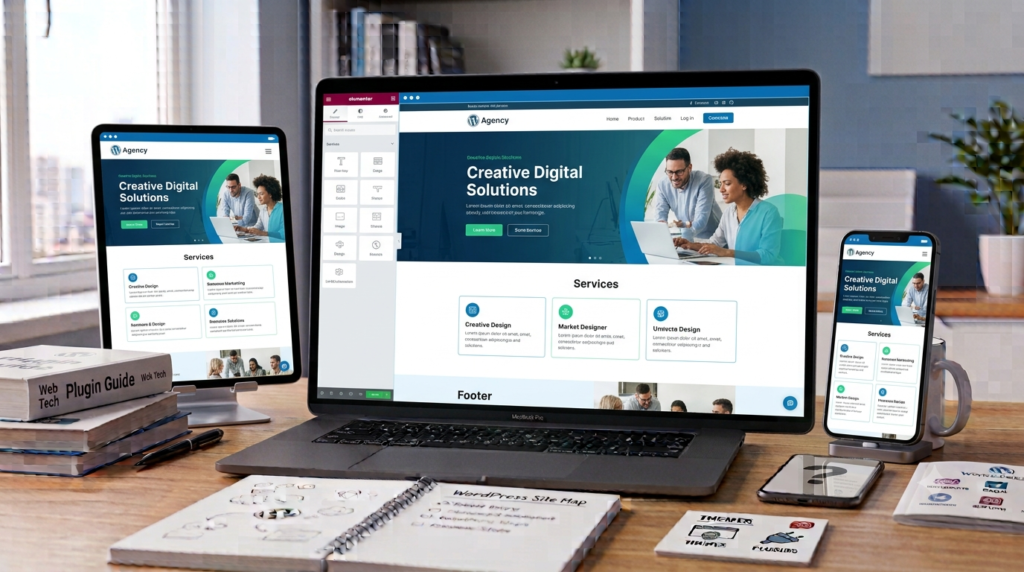
Website desktopలో మాత్రమే కాకుండా mobile మరియు tabletలో కూడా సరిగ్గా కనిపించాలి.
Visitors websiteని:
- Mobile phones
- Tablets
- Laptops
- Desktop computers
వంటి different devicesలో చూడవచ్చు.
Elementorలో responsive design controls ఉండటం వల్ల different screen sizesకి అనుగుణంగా కొన్ని design settingsని adjust చేయవచ్చు.
Page complete చేసిన తర్వాత mobile మరియు tablet views కూడా check చేయడం చాలా ముఖ్యం.
Beginners చేసే Common Mistakes
Elementor నేర్చుకునే సమయంలో beginners కొన్ని common mistakes చేస్తారు.
Pageలో చాలా ఎక్కువ animations మరియు unnecessary elements add చేయడం ఒక mistake.
చాలా పెద్ద images ఉపయోగించడం కూడా page performanceపై ప్రభావం చూపవచ్చు.
Mobile viewని check చేయకుండా website publish చేయడం మరో common mistake.
Professional website కోసం:
Clear Content + Simple Design + Good Spacing + Easy Navigation
పై focus చేయడం మంచిది.
Elementorతో మంచి Website ఎలా Design చేయాలి?
ముందుగా simple layoutతో ప్రారంభించండి.
Website అంతటా consistent fonts మరియు colors ఉపయోగించండి.
Sections మధ్య సరైన spacing ఉంచండి.
Visitorsకి త్వరగా అర్థమయ్యేలా clear headings ఉపయోగించండి.
Imagesని upload చేసే ముందు optimize చేయడం మంచిది.
చివరగా websiteని desktop, tablet మరియు mobileలో check చేయండి.
Elementorకి Coding అవసరమా?
Basic Elementor page design చేయడానికి coding తప్పనిసరి కాదు.
Visual editor ద్వారా చాలా common layouts create చేయవచ్చు.
అయితే advanced customization చేయాలనుకునే వారికి HTML, CSS వంటి basic web technologies గురించి knowledge ఉపయోగపడుతుంది.
అందుకే beginners ముందుగా Elementor basics నేర్చుకుని, తర్వాత అవసరాన్ని బట్టి coding concepts నేర్చుకోవచ్చు.
Elementor vs Normal WordPress Editing
WordPressలో content edit చేయడానికి traditional editor కూడా ఉంది.
Elementorలో మాత్రం page designని visualగా arrange చేసుకుంటూ changesని చూడవచ్చు.
రెండు methodsకి వాటి వాటి advantages ఉన్నాయి.
Website requirements మరియు personal workflowని బట్టి సరైన editing methodని ఎంచుకోవచ్చు.
Final Thoughts
Elementor అనేది WordPress website pagesని visualగా design చేయడానికి ఉపయోగించే powerful website builder.
దీని ద్వారా headings, text, images, buttons మరియు different sectionsని సులభంగా add చేసి customize చేయవచ్చు.
Beginnersకి coding లేకుండానే basic page designs create చేసుకోవడానికి Elementor ఉపయోగపడుతుంది.
అయితే మంచి website కోసం ఎక్కువ effects ఉపయోగించడం కంటే clear content, simple design, proper spacing, responsive layout మరియు easy navigationపై focus చేయడం ముఖ్యమైనది.
Elementorని basics నుంచి నేర్చుకుని, practiceతో gradually advanced featuresకి వెళ్లడం beginnersకి మంచి approach.