
మనము ఒక website open చేసినప్పుడు ముందుగా కనిపించేది దాని design. WordPress Theme for Beginners గురించి తెలుసుకోవాలంటే, website లో colors, pictures, buttons, menu, text మరియు sections ఎలా కనిపిస్తున్నాయో అర్థం చేసుకోవాలి.
WordPress లో website యొక్క ఈ look and design ని మార్చడానికి Theme ఉపయోగిస్తారు.
సింపుల్గా చెప్పాలంటే, Theme అనేది మన website కి ఒక design plan లాంటిది.
WordPress Theme అంటే ఏమిటి?
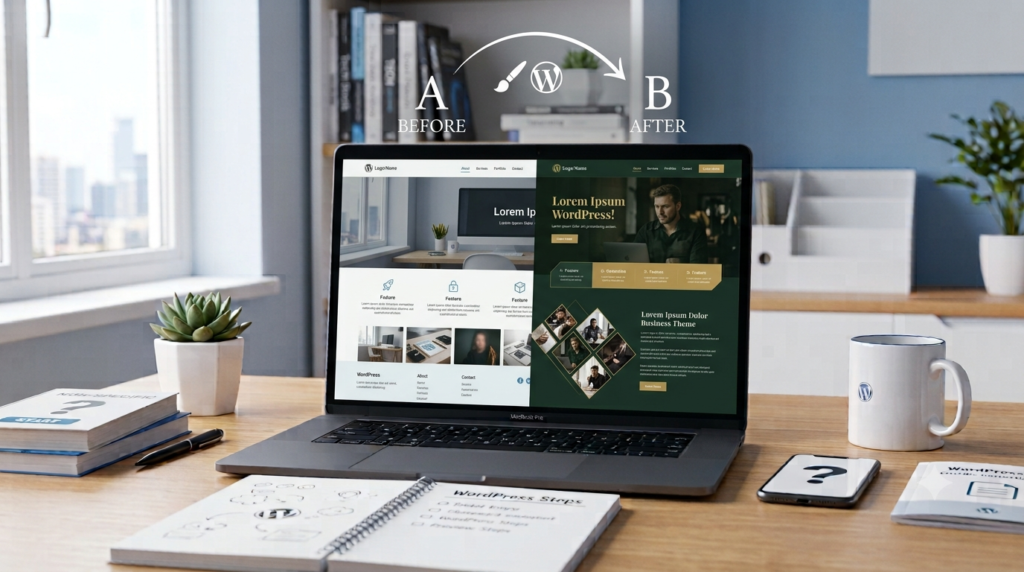
WordPress Theme అనేది website ఎలా కనిపించాలి మరియు దాని content ఎలా arrange అవ్వాలి అనే విషయాలను control చేసే files సమూహం.
ఉదాహరణకు, ఒక website చాలా simple గా ఉండవచ్చు. ఇంకొక website లో పెద్ద images, colorful buttons మరియు different sections ఉండవచ్చు. వీటి appearance మార్చడంలో Theme సహాయపడుతుంది.
అందువల్ల website design ని మొదటి నుంచి coding చేయకుండా, ఒక suitable Theme తీసుకుని దాన్ని మన అవసరాలకు అనుగుణంగా మార్చుకోవచ్చు.
WordPress Theme for Beginners ఎందుకు అవసరం?
Website లో information ఉండటం మాత్రమే సరిపోదు. Visitors దాన్ని సులభంగా చదవగలగాలి మరియు website లో కావాల్సిన information ని త్వరగా కనుగొనగలగాలి.
ఒక మంచి Theme website ని:
- Clean గా
- Easy to read గా
- Easy to use గా
- Mobile-friendly గా
- Professional గా
చూపించడానికి సహాయపడుతుంది.
Theme Website ని ఎలా మార్చుతుంది?
మనము ఒక Theme ని install చేసి activate చేసినప్పుడు, WordPress website ని ఆ Theme design ప్రకారం చూపిస్తుంది.
Theme వల్ల website లోని:
- Layout
- Colors
- Fonts
- Header
- Footer
- Menu
- Buttons
- Blog design
వంటి విషయాలు మారవచ్చు.
అయితే మనం రాసిన content అదే ఉండవచ్చు. Theme ప్రధానంగా ఆ content ఎలా కనిపించాలి అనే విషయాన్ని మార్చుతుంది.
WordPress Theme for Beginners కోసం Free Theme అంటే ఏమిటి?

WordPress లో చాలా Themes ఉచితంగా అందుబాటులో ఉంటాయి.
Website ప్రారంభిస్తున్న beginners కి Free Theme ఒక మంచి option కావచ్చు. మొదట website కోసం ఎక్కువ డబ్బు ఖర్చు చేయకుండా design తయారు చేసుకోవచ్చు.
కానీ Free Theme ఎంచుకునేటప్పుడు అది trusted source నుంచి వచ్చిందా, updates వస్తున్నాయా మరియు మన website కి సరిపోతుందా అని check చేయాలి.
WordPress Theme for Beginners కోసం Paid Theme అంటే ఏమిటి?
కొన్ని WordPress Themes కోసం డబ్బు చెల్లించాలి. వీటిని Paid Themes అంటారు.
Paid Themes లో ఎక్కువ customization options, support మరియు additional features ఉండవచ్చు.
అయితే మంచి website చేయడానికి తప్పనిసరిగా expensive Theme కొనాల్సిన అవసరం లేదు.
మన website కి సరిపోయే simple మరియు lightweight Theme కూడా మంచి choice కావచ్చు.
మంచి Theme లో ఏమి ఉండాలి?
Theme ఎంచుకునేటప్పుడు అది అందంగా కనిపిస్తుందా అని మాత్రమే చూడకూడదు.
Simple Design
Website design clean గా ఉంటే visitors content ని సులభంగా చదవగలరు.
చాలా ఎక్కువ colors, animations మరియు unnecessary elements ఉంటే website confusing గా అనిపించవచ్చు.
Mobile-Friendly
చాలా మంది mobile phones ద్వారా websites చూస్తున్నారు.
అందుకే Theme mobile, tablet మరియు desktop లో సరిగ్గా కనిపించాలి.
Fast Loading
Theme చాలా heavy గా ఉంటే website slow అవ్వవచ్చు.
అవసరమైన features మాత్రమే ఉన్న lightweight Theme ఉపయోగించడం మంచిది.
Easy Customization
Logo, colors, fonts, menu మరియు other design elements ని సులభంగా మార్చుకోగలిగే Theme beginners కి ఉపయోగకరంగా ఉంటుంది.
Regular Updates
Theme కి regular updates వస్తున్నాయా అని కూడా check చేయాలి.
Updates website compatibility మరియు security కి ఉపయోగపడవచ్చు.
WordPress Theme for Beginners: Theme మరియు Plugin మధ్య తేడా
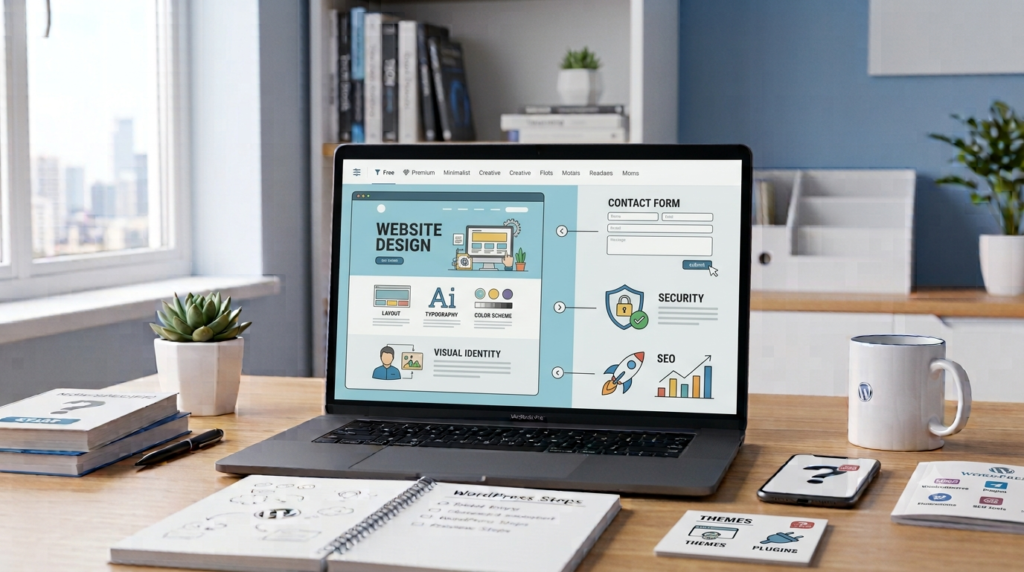
Beginners కి Theme మరియు Plugin ఒకటే అనిపించవచ్చు. కానీ రెండింటి పనులు వేరు.
Theme → Website ఎలా కనిపించాలి?
Plugin → Website ఏమి చేయాలి?
ఉదాహరణకు Theme website యొక్క design ని మార్చుతుంది.
Plugin website కి contact form, SEO features, security tools వంటి కొత్త functions ని add చేయవచ్చు.
ఈ simple difference గుర్తుపెట్టుకుంటే WordPress నేర్చుకోవడం సులభంగా ఉంటుంది.
WordPress Theme for Beginners: Theme మార్చవచ్చా?
అవును. మనకు కావాల్సినప్పుడు WordPress Theme మార్చుకోవచ్చు.
కొత్త Theme install చేసి activate చేసిన తర్వాత website యొక్క appearance మారుతుంది.
అయితే Theme మార్చిన తర్వాత important pages మరియు sections అన్నీ సరిగ్గా కనిపిస్తున్నాయా అని check చేయాలి.
పెద్ద changes చేసే ముందు website backup తీసుకోవడం కూడా మంచి practice.
Theme మార్చితే Posts Delete అవుతాయా?
సాధారణంగా Theme మార్చడం వల్ల మన Posts automatically delete కావు.
మన content మరియు website design రెండూ వేర్వేరు విషయాలు.
కానీ కొత్త Theme లో content కనిపించే విధానం మారవచ్చు. పాత Theme కి సంబంధించిన కొన్ని special features మళ్లీ set చేయాల్సి రావచ్చు.
అందుకే Theme మార్చిన తర్వాత website ని పూర్తిగా check చేయాలి.
Beginners చేసే Common Mistakes
Beginners Theme ఎంచుకునేటప్పుడు కొన్ని mistakes చేస్తారు.
Theme అందంగా కనిపిస్తుందని మాత్రమే చూసి select చేయడం ఒక common mistake.
చాలా Themes ని unnecessary గా install చేయడం కూడా అవసరం లేదు.
Unknown websites నుంచి Themes download చేయడం security problem కి కారణం కావచ్చు.
అందుకే trusted sources నుంచి Themes తీసుకోవడం మంచిది.
WordPress Theme for Beginners ఎలా Choose చేయాలి?
ముందుగా మీ website purpose ఏంటో నిర్ణయించుకోవాలి.
Blog website అయితే articles సులభంగా చదవడానికి వీలుగా ఉండే Theme ఎంచుకోవాలి.
Business website అయితే services మరియు contact information clear గా కనిపించే design ఉండాలి.
Online store అయితే shopping features కి support చేసే Theme ఎంచుకోవాలి.
Theme ఎంచుకునేటప్పుడు మనకు నచ్చిందా? అనే దానికంటే మన visitors కి ఉపయోగపడుతుందా? అని ఆలోచించడం మంచిది.
Final Thoughts
WordPress Theme అనేది website యొక్క design మరియు appearance లో ముఖ్యమైన భాగం.
Theme ఎంచుకునేటప్పుడు అది expensive గా ఉందా లేదా అనేది మాత్రమే చూడకూడదు.
Simple design, fast loading, mobile-friendly layout, easy customization మరియు regular updates ఉన్న Theme మంచి choice కావచ్చు.
మంచి Theme అంటే కేవలం అందంగా కనిపించేది కాదు. Visitors కి website ని సులభంగా చదవడానికి, అర్థం చేసుకోవడానికి మరియు ఉపయోగించడానికి సహాయపడే Theme నిజంగా మంచి Theme.